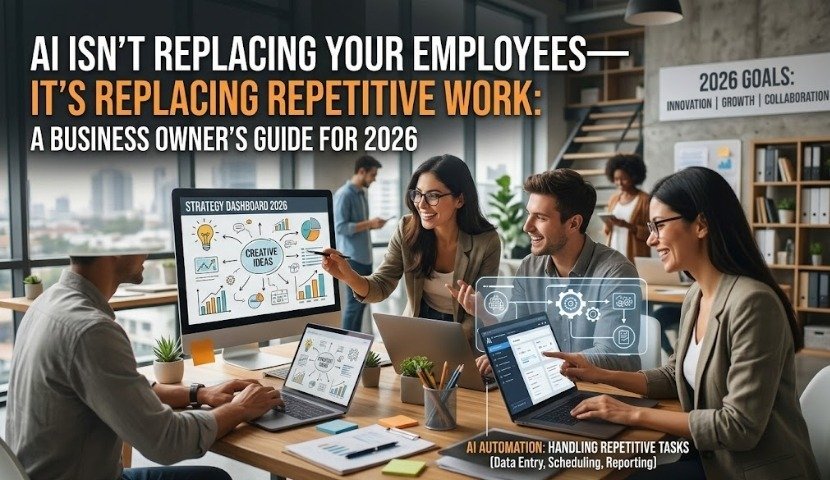
Artificial Intelligence has become one of the most talked-about business technologies of the decade. While headlines often focus on AI replacing jobs, the reality for most businesses is very different.
The companies gaining the biggest competitive advantage aren’t reducing their workforce—they’re empowering it.
Across Chicago, businesses are using AI to eliminate repetitive administrative tasks, improve customer service, accelerate decision-making, and increase productivity while allowing employees to focus on work that truly requires human creativity and expertise.
Whether you’re running a law firm, manufacturing company, healthcare practice, accounting office, logistics business, or professional services company, AI has become an essential business tool—not a replacement for your team.
Here’s what business owners need to know before adopting AI in 2026.
Why AI Adoption Is Accelerating Faster Than Ever
Businesses today face several ongoing challenges:
- Rising labor costs
- Increasing customer expectations
- More administrative work
- Cybersecurity risks
- Talent shortages
- Pressure to improve efficiency
AI helps solve many of these problems without requiring businesses to hire additional employees.
Instead of replacing people, AI handles repetitive work such as:
- Writing first drafts of emails
- Meeting summaries
- Scheduling appointments
- Document organization
- Data analysis
- Customer support responses
- Report generation
- Information retrieval
Employees remain responsible for decision-making, relationship-building, and strategic thinking.
The Biggest Misconception About AI
Many business owners assume AI will replace entire departments.
That’s rarely how successful businesses use it.
Think of AI as a highly capable digital assistant.
It works alongside employees by completing repetitive tasks in seconds, allowing staff to focus on:
- Building client relationships
- Solving complex problems
- Strategic planning
- Innovation
- Sales
- Customer experience
The goal isn’t fewer employees.
The goal is more productive employees.
Practical Ways Businesses Are Using AI Today
Customer Service
AI chat assistants answer common customer questions 24/7, allowing support teams to focus on complex inquiries.
Examples include:
- Business hours
- Appointment scheduling
- Product information
- Order status
- Frequently asked questions
Customers receive faster responses while employees spend more time resolving higher-value issues.
Administrative Work
Administrative tasks consume hours every week.
AI can automate:
- Email drafting
- Calendar scheduling
- Meeting notes
- Invoice summaries
- Proposal creation
- Internal documentation
Employees gain valuable time for revenue-generating activities.
Sales Teams
Sales professionals often spend more time entering CRM data than selling.
AI can:
- Summarize sales meetings
- Generate follow-up emails
- Update CRM records
- Research prospects
- Draft proposals
This enables sales teams to close more deals with less manual work.
Marketing
Marketing departments use AI to assist with:
- Content ideas
- Blog outlines
- Social media planning
- SEO research
- Ad copy variations
- Email campaigns
Human review remains essential, but AI significantly reduces production time.
Financial Operations
Finance teams use AI for:
- Expense categorization
- Invoice processing
- Financial reporting
- Forecasting
- Cash flow analysis
Automation improves both speed and accuracy.
AI Should Never Operate Without Human Oversight
One of the biggest mistakes businesses make is trusting AI completely.
AI can:
- Generate inaccurate information
- Misinterpret context
- Create compliance risks
- Share sensitive information if poorly configured
Every AI-generated output should be reviewed by employees before it’s sent to customers or used in business decisions.
Human oversight remains critical.
The Security Risks Many Businesses Overlook
Public AI tools aren’t designed to protect confidential business information.
Employees often unknowingly upload:
- Customer information
- Financial reports
- Contracts
- Legal documents
- Internal strategies
- Employee records
Without proper governance, this creates significant cybersecurity and compliance risks.
Businesses need:
- AI usage policies
- Access controls
- Data protection rules
- Employee training
- Secure AI platforms
- Regular security assessments
Working with an experienced IT partner helps ensure AI adoption strengthens productivity without compromising security.
Why Microsoft Copilot Is Becoming the Preferred Choice
Many organizations are moving beyond public AI tools toward secure workplace AI platforms like Microsoft Copilot.
Integrated with Microsoft 365, Copilot can help employees:
- Summarize Teams meetings
- Draft Word documents
- Analyze Excel data
- Create PowerPoint presentations
- Search company documents
- Manage Outlook emails
Because it operates within your organization’s Microsoft environment, it provides stronger security and governance than consumer AI tools when properly configured.
Signs Your Business Is Ready for AI
Your company may benefit from AI if employees regularly spend time on:
- Repetitive emails
- Manual reporting
- Data entry
- Scheduling
- Document creation
- Internal searches
- Customer FAQs
- Administrative workflows
Even saving one hour per employee each day can translate into hundreds of productive hours every year.
Building an AI Adoption Strategy
Successful AI implementation starts with a plan—not with software.
A strategic rollout includes:
1. Assess Current Workflows
Identify repetitive processes suitable for automation.
2. Evaluate Security
Determine how sensitive data should be protected.
3. Select the Right AI Tools
Choose platforms that integrate with your existing systems.
4. Train Employees
Help teams understand when and how to use AI responsibly.
5. Establish Governance
Create policies covering acceptable AI use, data handling, and compliance.
6. Monitor Results
Measure productivity improvements and adjust processes over time.
The Competitive Advantage of Early AI Adoption
Businesses that embrace AI thoughtfully are already experiencing measurable benefits:
- Faster customer response times
- Higher employee productivity
- Reduced operational costs
- Better decision-making
- Improved collaboration
- Enhanced customer experiences
- Greater scalability
Organizations that delay adoption risk falling behind competitors who are already improving efficiency through AI-powered workflows.
How ChicagoTechSolutions Helps Businesses Adopt AI Securely
Implementing AI isn’t just about choosing the latest technology—it’s about ensuring that it supports your business goals while protecting your data and maintaining compliance.
At ChicagoTechSolutions, we help businesses confidently integrate AI into their operations through:
- AI readiness assessments
- Microsoft 365 Copilot implementation
- Secure AI deployment
- Cybersecurity and compliance reviews
- Employee AI training
- Managed IT services
- Cloud infrastructure optimization
- Ongoing technology support
Our team works with organizations across industries to develop practical AI strategies that improve productivity without introducing unnecessary risk.
Whether you’re exploring AI for the first time or expanding existing initiatives, we can help you build a secure, scalable foundation for long-term success.
Frequently Asked Questions
1. Will AI replace employees?
In most businesses, AI is used to automate repetitive tasks rather than replace employees. It enables teams to work more efficiently while focusing on higher-value activities.
2. Is AI safe for business use?
Yes, when implemented with proper security controls, governance policies, and employee training. Public AI tools should not be used for sensitive business information without safeguards.
3. What departments benefit the most from AI?
Customer service, sales, marketing, finance, HR, operations, and administrative teams can all improve efficiency through AI-assisted workflows.
4. What’s the difference between ChatGPT and Microsoft Copilot?
ChatGPT is a general-purpose AI assistant, while Microsoft Copilot integrates directly with Microsoft 365 applications, allowing businesses to securely work with their existing documents, emails, meetings, and data.
5. How can small businesses start using AI?
Start by identifying repetitive tasks, evaluating secure AI platforms, training employees, and working with an experienced IT partner to ensure proper implementation.
6. Does AI improve cybersecurity?
AI can strengthen cybersecurity by detecting threats faster, analyzing suspicious activity, and automating responses. However, it should complement—not replace—a comprehensive cybersecurity strategy.
7. How can ChicagoTechSolutions help with AI adoption?
ChicagoTechSolutions provides AI readiness assessments, secure implementation, Microsoft Copilot deployment, managed IT services, employee training, cybersecurity, and ongoing technical support to help businesses maximize AI’s value.