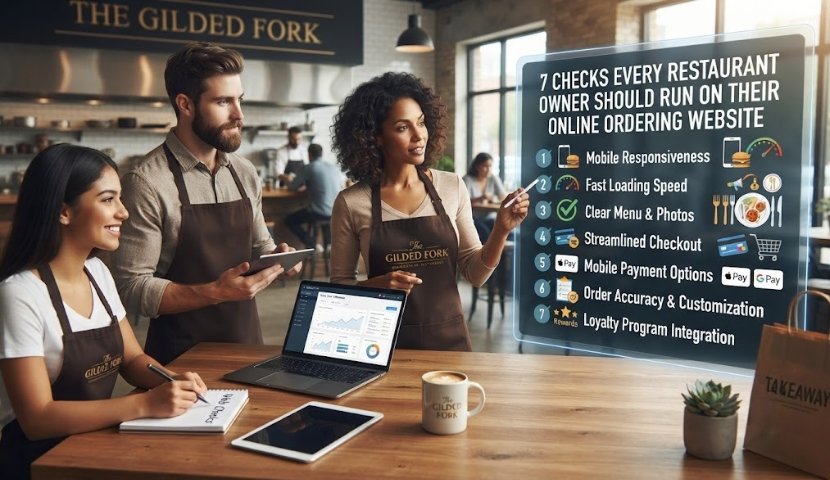
Your food might be the best in the neighborhood — but if your website makes it hard to order, hungry people will just tap over to the next name in their search results. Industry research has tied optimized online ordering sites to sales lifts as high as 162%, which tells you how much is riding on getting the ordering experience right.
Before your next marketing push, run these 7 checks on your own site.
1. Does it load in under 3 seconds on a phone?
More than half of restaurant traffic comes from someone standing on a sidewalk, browsing on mobile data, trying to decide where to eat right now. If your menu takes more than a couple of seconds to load, they’ve likely already tapped back and picked a faster competitor. Run your site through a free speed test — search engines factor load time into local rankings too, so a slow site quietly costs you both customers and visibility.
2. Is “Order Online” the first thing someone sees?
Ordering should never be a mystery. The call to action needs to be visible the moment someone lands on your homepage — near the top, paired with your menu, not buried in a dropdown three clicks deep. If reservations or catering matter to your business, those need their own clear buttons too.
3. Is your menu an actual webpage — not a PDF or an image?
This is one of the most common restaurant website mistakes: a menu that’s a scanned photo or a downloadable PDF. It’s slow to load, impossible to search, and unreadable on small screens. Menus should be built as real, structured web content — easy to skim, easy to update the moment a price or dish changes.
4. Can someone go from browsing to checkout without friction?
Count the taps. Every extra screen, every unnecessary field, every moment of “wait, how do I actually pay” is a chance for someone to abandon their order. The smoothest online ordering flows move a guest from menu to cart to confirmation in just a few clear steps — item, modifiers, cart, payment, done.
5. Is your online ordering connected to your own site — not just a third-party app?
If “Order Online” only sends people to a delivery marketplace, you’re paying a commission on every sale and handing that customer relationship to someone else. A direct ordering system tied to your website and your point-of-sale means the order, the customer data, and the profit margin stay yours.
6. Is your info consistent everywhere people might find you?
Your hours, address, and phone number need to match exactly across your website, your Google Business Profile, and any delivery platforms you’re listed on. Mismatched details are one of the fastest ways to lose a customer’s trust — and increasingly, they’re also how AI-powered search tools decide whether to recommend you at all.
7. Does checkout work as well on a phone as it does on a laptop?
Responsive design isn’t optional anymore — it’s the baseline. Test your own checkout flow on your phone, right now, the way a real customer would: add an item, apply a coupon, enter a card, hit submit. If anything feels clunky, slow, or hard to tap accurately, that’s lost revenue on autopilot.
The Bottom Line
None of these checks require a full rebuild. Most restaurants can knock out two or three of these fixes in a single afternoon — and the ones that do tend to see the difference show up fast, in fewer abandoned carts and more direct orders that don’t come with a delivery-app commission attached.