For years, “mobile-first design” has been the gold standard. But in 2026, the conversation has evolved.
👉 The real question now is:
Is mobile-first enough—or do you need a mobile-only strategy?
With the majority of users browsing on smartphones, businesses must rethink how they design websites.
In this blog, we break down the difference between mobile-first and mobile-only, what works in 2026, and how to stay ahead—with expert insights from ChicagoTechSolutions.
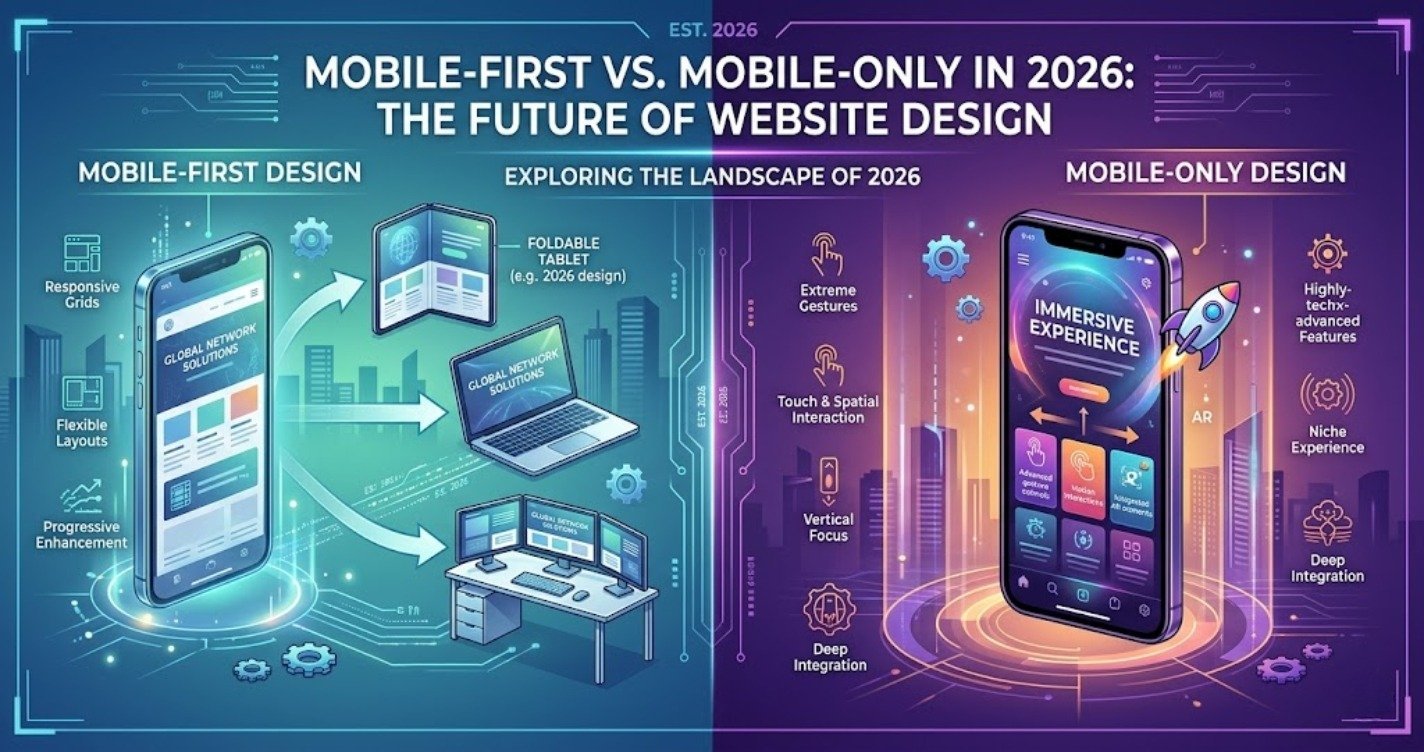
What Is Mobile-First Design?
Mobile-first design means:
👉 Designing your website for mobile devices first, then scaling up for larger screens like tablets and desktops.
Key Features:
- Responsive layouts
- Optimized mobile navigation
- Fast loading on mobile
What Is Mobile-Only Design?
Mobile-only design takes it a step further.
👉 It prioritizes mobile users so heavily that the experience is primarily built for smartphones, with desktop becoming secondary.
Key Features:
- App-like experience
- Simplified interface
- Highly optimized mobile performance
Mobile-First vs Mobile-Only: Key Differences
| Feature | Mobile-First | Mobile-Only |
| Approach | Mobile prioritized | Mobile dominates |
| Desktop Experience | Still important | Secondary |
| Design Complexity | Balanced | Simplified |
| Performance Focus | High | Extremely high |
Why Mobile Dominates in 2026
1. Majority of Traffic Is Mobile
Users rely on smartphones for:
- Browsing
- Shopping
- Searching
2. Search Engines Prioritize Mobile
Platforms like Google use mobile-first indexing, meaning your mobile version determines your ranking.
3. User Expectations Have Changed
Users expect:
- Instant loading
- Smooth navigation
- App-like experiences
When Should You Go Mobile-Only?
Mobile-only is ideal if:
- Your audience is primarily mobile users
- You run an eCommerce or local business
- Speed and simplicity are critical
When Mobile-First Is Enough
Mobile-first works if:
- You have a mixed audience (desktop + mobile)
- Your website requires detailed content
- You serve B2B or enterprise clients
Key Benefits of Mobile-Optimized Websites
🚀 Faster Loading Speed
📱 Better User Experience
📈 Higher Search Rankings
💰 Increased Conversions
Common Mobile Design Mistakes in 2026
🚫 Avoid These:
- Designing for desktop first
- Slow mobile loading speed
- Small or hard-to-click buttons
- Cluttered layout
- Ignoring mobile SEO
How to Build a Mobile-Optimized Website
Step-by-Step Strategy:
- Start with mobile design
- Simplify layout and content
- Optimize images and speed
- Use clear navigation
- Test on multiple devices
- Continuously improve performance
How ChicagoTechSolutions Builds Mobile-Ready Websites
🚀 Mobile-First & Mobile-Optimized Development
Websites designed to perform flawlessly on smartphones.
🎯 User-Centric Mobile UX
Focused on:
- Easy navigation
- Fast interaction
- Seamless experience
📊 SEO Integration
Optimized for mobile search rankings and visibility.
⚙️ Performance Optimization
Ensuring lightning-fast loading speeds.
🤝 End-to-End Solutions
From design to marketing—everything aligned for success.
Key Takeaways
- Mobile-first is essential—but mobile-only is emerging
- Mobile users dominate web traffic in 2026
- Speed and simplicity are critical
- Poor mobile design leads to lost customers
- Continuous optimization is key
Final Thoughts
The future of website design is mobile-driven.
Businesses that adapt will:
- Improve user experience
- Rank higher on search engines
- Increase conversions
Those that don’t will fall behind.
With ChicagoTechSolutions, you can build a future-ready, mobile-optimized website that keeps you ahead of the competition.
FAQs
Q1: What is the difference between mobile-first and mobile-only?
Mobile-first prioritizes mobile design, while mobile-only focuses almost entirely on mobile users.
Q2: Is mobile-first still relevant in 2026?
Yes, but many businesses are moving toward mobile-only strategies.
Q3: Does mobile design affect SEO?
Yes, search engines prioritize mobile-friendly websites.
Q4: How can I improve my mobile website?
Optimize speed, simplify design, and focus on user experience.
Q5: Do I need a mobile-only website?
It depends on your audience and business goals.